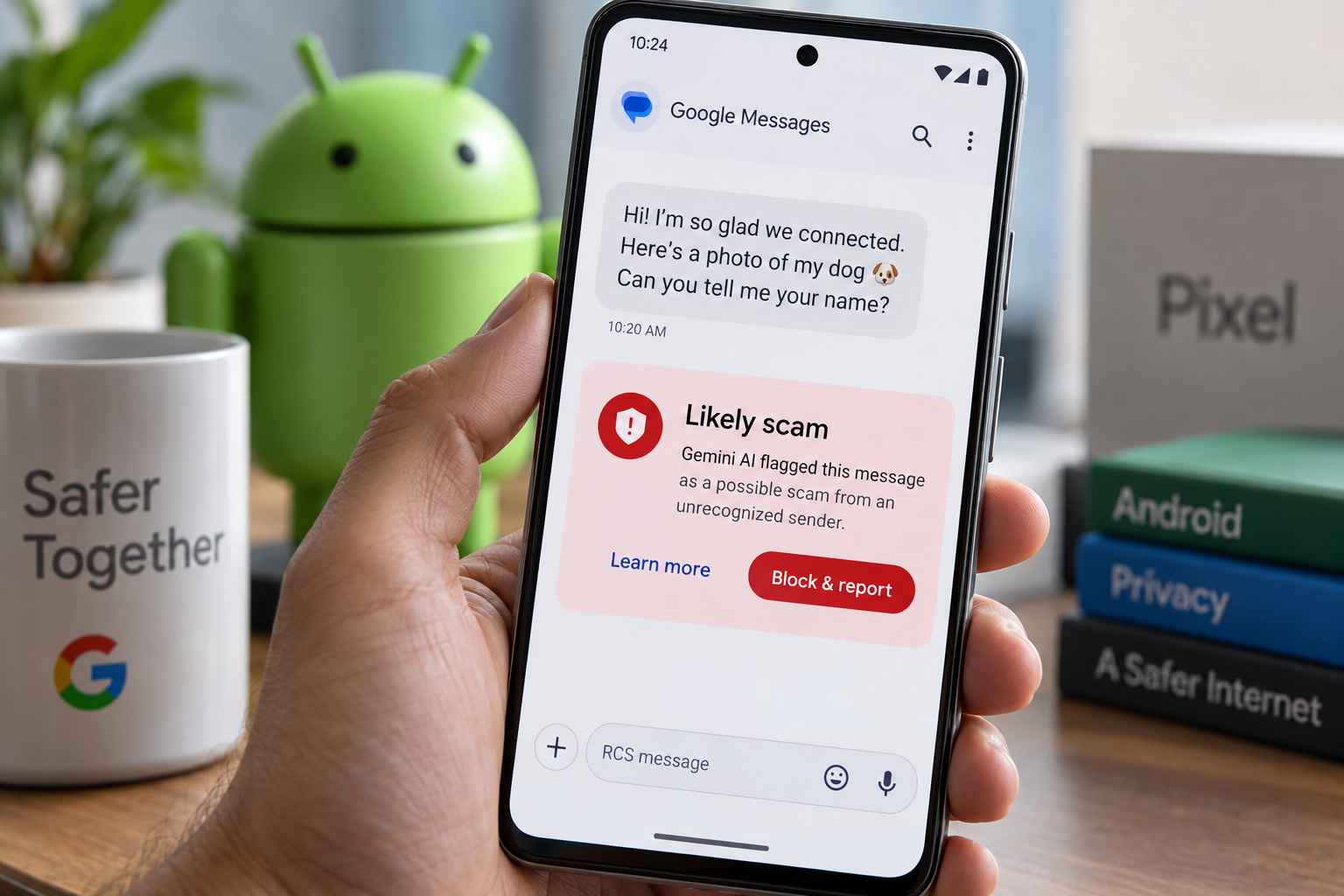
How does Gemini scam detection work in Google Messages?
Google is rolling out an opt-in setting in its Messages app that uses Gemini AI to judge whether a stranger texting you is trying to scam you. The so-called enhanced protection mode, which the company says arrives in the coming weeks, sends conversations with unrecognized senders to cloud-based Gemini models to evaluate what the sender is really after.
The feature builds on Scam Detection, which Google already offers in Messages. Google said scammers often hide their intentions inside slow, drawn-out conversations, and that cloud analysis extends the company’s on-device detection to catch novel and sophisticated attacks.
Google offered an example. A sender pretended to share a photo of themselves with a dog. After being told they had the wrong number, the sender tried to keep talking and asked the recipient for their name. That pattern is the kind of exchange the new mode is designed to flag.
Privacy is a central part of the pitch. Google said user data is encrypted during the AI analysis and processed in what it calls a secure, dedicated space that Google, and anyone else besides the user, cannot access. The company describes this as Private AI Compute.
Which devices get Gemini-powered link checks?
Links get their own check. The opt-in mode uses on-device Gemini Nano to inspect real-time web signals from unfamiliar URLs before they open, looking for signs that a link is malicious. Google said this link analysis will be available on the Pixel 10 and newer, the Samsung Galaxy S26 series, the Galaxy Z Flip and Galaxy Fold 8, and other select devices.
Google also redesigned its scam warnings. The company said the new versions give users more context and extra time before they tap on links sent from numbers that are not in their contacts.
Will Scam Detection reach more Android phones?
The company is also widening Scam Detection in chat notifications. Google introduced the feature on Pixel phones last year. It warns users about potential scams inside the notification itself, so a person does not have to open the message to see the alert. Google said it is bringing the feature to devices from Honor, Motorola, Oppo, OnePlus, Realme, Tecno, Vivo, Xiaomi and others, which it says will reach “hundreds of millions of additional users later this year.”
Other protections are arriving on different timelines. Android is blocking apps from enabling call forwarding and will notify users when an app attempts to do so. Android will also warn users if a scammer tries to trick them into typing an MMI forwarding code, a short string of numbers used to switch on call forwarding. Google said call forwarding protection rolls out in early December on Pixel and other select devices.
Screen sharing is getting an automatic privacy setting. All devices running Android 15 and newer will receive the feature later this month. When a user shares a screen that has Chrome or Android WebView open, the feature hides passwords, banking information and credit card security numbers by default.
In Brazil, Google has teamed up with banks to fight bank impersonation. Android will run a verification check on incoming calls to confirm that a bank is actually calling. If the caller fails the check, Android will hang up and alert the user. Google said Android has already blocked more than three million fake calls since the feature launched in June. The company said it will work with more partner banks in the future, but it did not say whether or when the bank-call tool will reach the United States.
Taken together, the updates push Google’s scam defenses deeper into Android’s core apps and settings. The Gemini-powered Messages mode will be the most visible change for everyday users, and its rollout in the coming weeks will show how many people choose to turn it on.
Dieser Artikel wurde mit Unterstützung von KI verfasst.
News Factory APP - agentische News für besseres SEO & AEO.