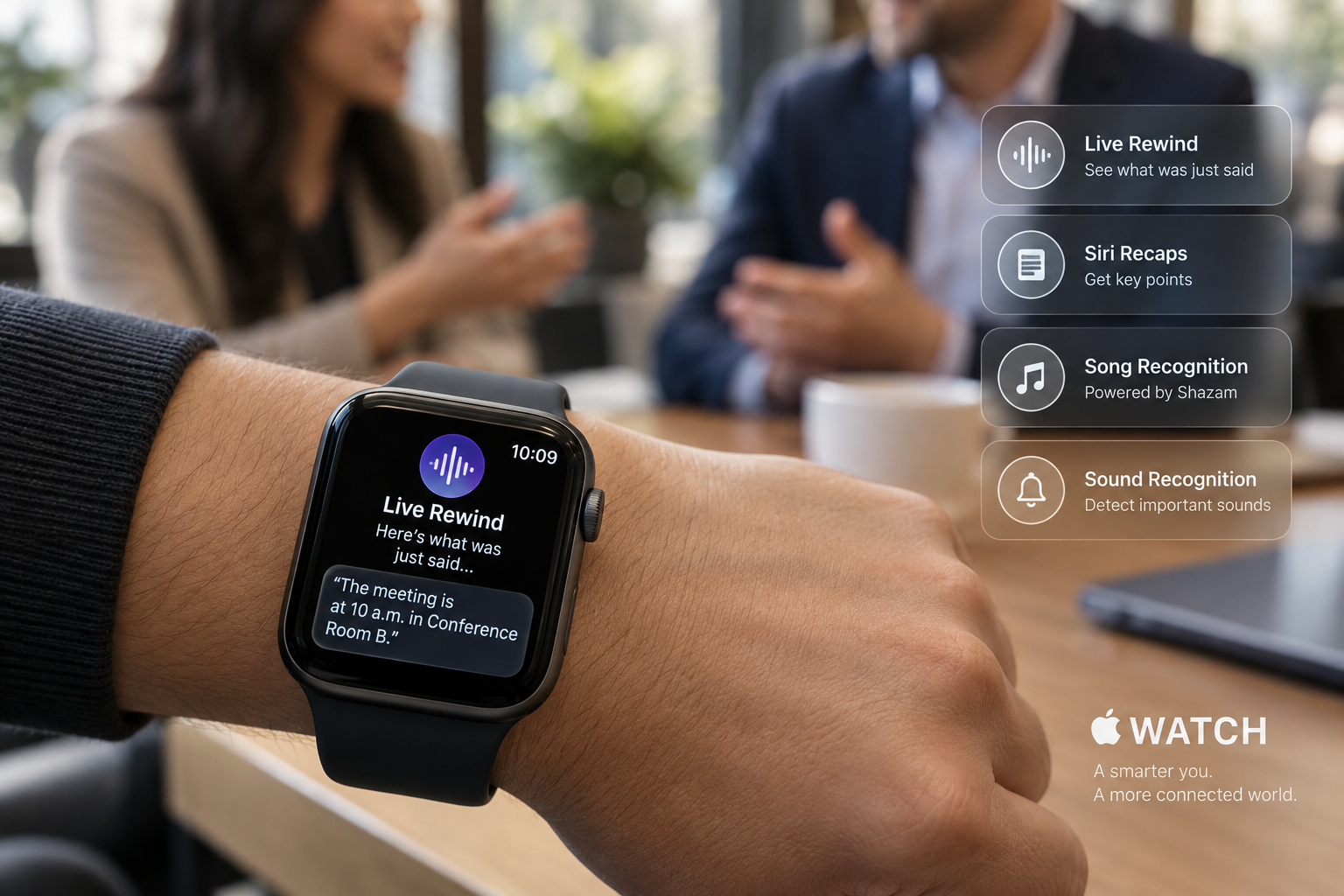
Apple has begun beta testing its AI-powered “Audio Intelligence” technology for the Apple Watch, starting with developers in the iOS 27.3 update. The company first unveiled the technology at its September hardware event, Surprise and Shine. It bundles four opt-in features that let Apple Watch Series 12 wearers detect important sounds, identify songs, catch up on conversations and take notes.
Two of the features are simple. Sound recognition is aimed at deaf and hard-of-hearing users. It flags sounds such as sirens, alarms and doorbells directly on the watch. Song recognition taps into Apple’s Shazam app to pick up music playing in the background and display the song name and artist.
The other two are the ones that deserve a closer look, because they listen to people talking. Apple has been pitching them carefully, and for good reason. Consumers have grown wary of AI recording devices, including Meta’s AI glasses and other AI wearables, and Apple is trying to show that its version can be useful to the watch owner without intruding on the people around them.
What is Live Rewind on Apple Watch?
The first is Live Rewind. Double-press the digital crown, and the watch shows a text snippet of what was said in the previous 15 seconds. The watch chimes and displays an animation, a signal meant to make clear to the people nearby that something is being recorded. Users can glance at the snippet and let it vanish, or save it to the standalone Siri app that comes with iOS 27. Apple suggests the feature could help when someone gives verbal directions or reads a list of restaurant specials. Users who have a question about a snippet can tap an “Ask Siri” option below the text, whether the question involves a technical term or an unfamiliar sauce. Unsaved snippets are deleted automatically after 30 seconds.
How does Siri Recaps protect privacy?
The second is Siri Recaps, which goes further. Instead of a word-for-word record, it produces a short summary of a conversation along with bullet points covering key points. Depending on the topic, those points might include dates, deadlines, pricing or payment plan details and other factual information. Apple says the feature does not identify speakers, does not keep raw audio and does not provide transcriptions. Apple pitched it for work meetings, parent-teacher conferences and personal training sessions, or any situation where a user is busy or concentrating on the speaker and cannot take notes.
Recaps are reviewed at the end of the day, and the watch prompts users to review them again when they first unlock it in the morning. Users choose which recaps to keep. Saved notes can go to the Notes app or be exported to the Journal app for more personal entries. Recaps that go unreviewed delete themselves after seven days. Users can turn the feature on manually or set a schedule, such as recording only at work or never at night. They can also switch it off at any time from Control Center. The recaps will not capture conversations while the wearer is listening to music with headphones or using noise cancellation.
Apple says the feature is built to leave out sensitive information, including government-assigned identifiers, financial and authentication data, certain personal identifiers and language that promotes self-harm.
How does Apple Watch process conversation recaps?
The processing chain runs across three Apple systems. The Apple Watch Series 12 and Apple Watch Ultra 4 rely on the S11 chip, the built-in microphone, Apple Intelligence models that run on the iPhone and Apple’s Private Cloud Compute. Lightweight AI models on the S11 chip determine whether a conversation involving the wearer is taking place. That audio moves to a secure enclave on the paired iPhone, where on-device processing turns it into condensed text with filler words removed. The text is then encrypted and sent to Private Cloud Compute, which creates the recap and sends it back to the phone. Apple says the recap and the summarization data are deleted from Private Cloud Compute immediately afterward. Apple also says the recaps are accessible only to the user, not to Apple, and they stay encrypted when they sync across the user’s devices.
Live Rewind works differently. The watch sends its audio to the iPhone to build the 15-second snippets. Apple says none of the features should noticeably affect the battery life of the watch or the phone. The company plans to bring the features to the public beta later for wider testing before making them available to all users.
Este artículo fue escrito con la asistencia de IA.
News Factory APP - noticias agénticas para impulsar tu SEO y AEO.