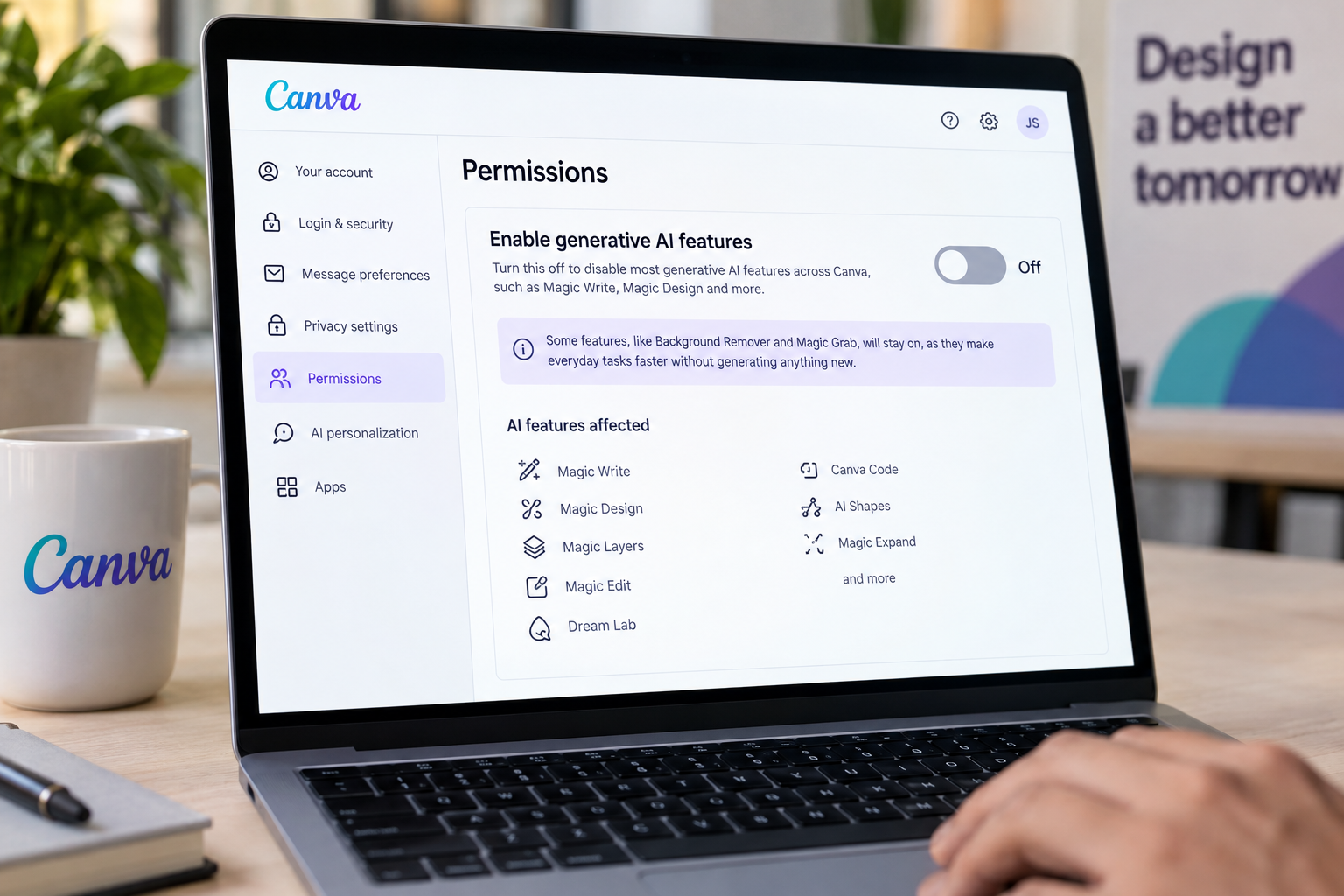
Canva users can now shut off most of the generative AI features on the graphic design platform. A new toggle disables tools such as the AI photo-extending Magic Expand and the ability to generate images with the Canva chatbot. Free and paid users both have access to the setting.
Which Canva AI features stay on when the switch is off?
The switch does not turn off every AI-powered feature. Canva's background remover and its Magic Grab tool, which lets users select an object in an image and move it elsewhere, will stay on. The company says those tools “make everyday tasks faster without generating anything new.” The toggle also leaves some tools alone, but it shuts down Magic Write, Magic Design, Magic Layers, Magic Edit, Dream Lab, Canva Code, AI Shapes and more.
Canva has steadily expanded its AI offerings since it made a large push into the technology in 2023. Some users have complained about the flood of AI features and asked for a way to opt out. The company has continued to add tools since then, including a prompt-powered editing update and Canva Craft, its first in-house AI model.
The company is also adding a second control aimed at the content library. Users can switch on an option that shows human-created content first when they search for templates, graphics and other design elements. Canva says a “small portion” of its library is AI-generated. Any design that uses one of those elements carries an AI label in its metadata.
Does the Canva library setting remove AI-generated content from search?
The library setting has limits. It is meant to “reduce” the chances that an AI-generated image appears in search results, but Canva does not say it will block them completely. Users who want to keep AI-generated material out of their searches should expect some to still show up.
How do you turn off generative AI features in Canva?
To turn off the main AI features, users go to Profile, then Settings, then Permission, and toggle off “Enable generative AI features.” To reduce AI content in the library, they go to Profile, then Your account, then AI personalization, and turn on the option to show less AI content.
Questo articolo è stato scritto con l'assistenza dell'IA.
News Factory APP - notizie agentiche per potenziare il tuo SEO e AEO.