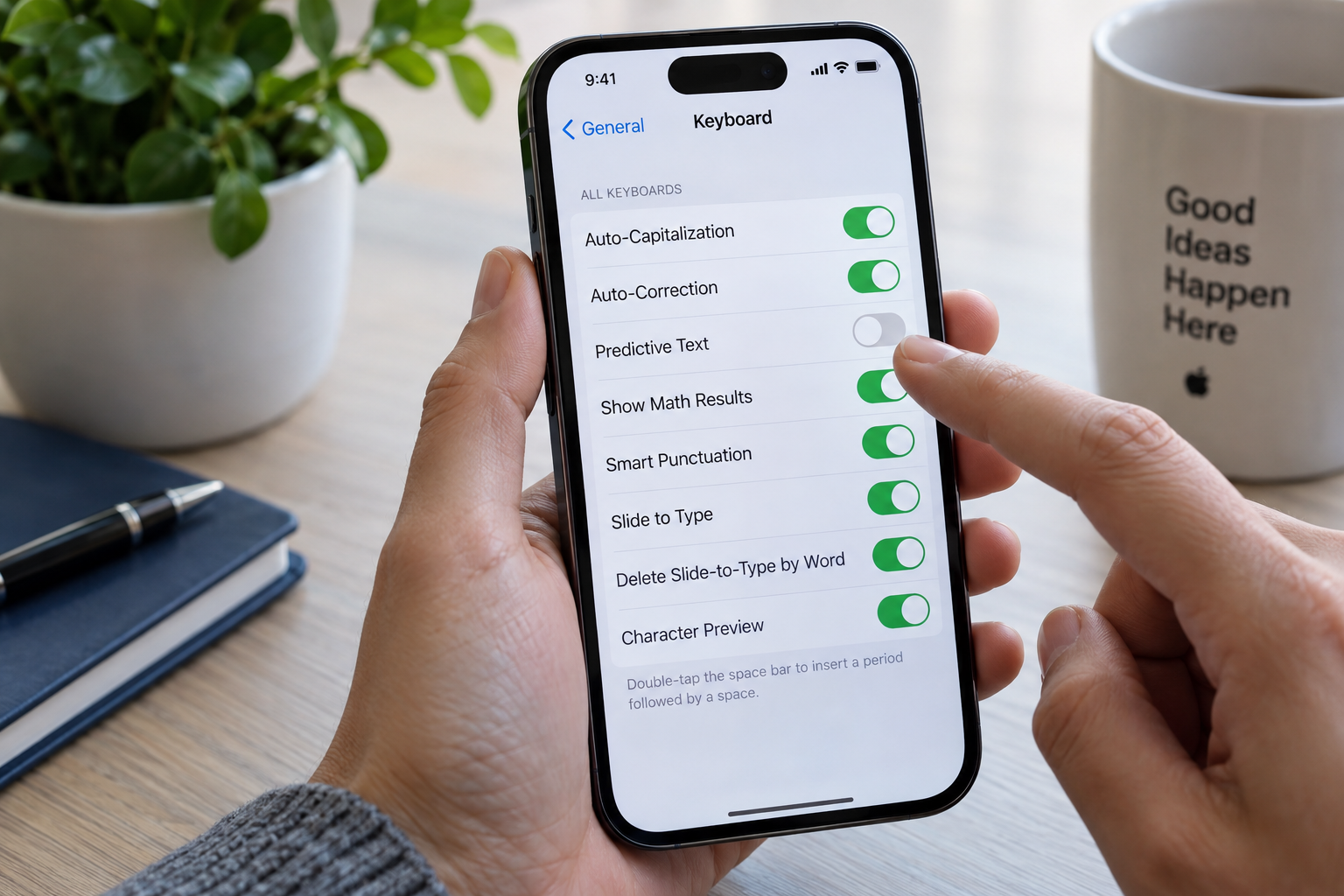
If your iPhone keeps offering word suggestions you never wanted, or pushing actions into your calendar after a casual text, you can shut most of it down in a few minutes. Apple's predictive text and the newer Messages suggestions are controlled through separate settings, and you can adjust one without touching the other.
The complaints are familiar. Predictive text pulls up an obscure word you typed once two years ago. Messages offers to add a sarcastic line, such as “Remind me why we're friends?” to your Reminders app. Predictive text and its autocorrect counterpart have drawn criticism for years, and some users simply don't want artificial intelligence inserting itself into their conversations.
The Messages suggestions are a newer addition, part of the features introduced in iOS 27.2. Predictive text has been around much longer. In theory, both are useful. Predictive text should learn your habits and quirks, and suggestions in iMessage should only appear when they make sense. In practice, the results are often hit or miss.
How do I turn off predictive text on iPhone?
To turn off predictive text entirely, open Settings, tap General, then select Keyboard. Under All Keyboards, switch off Predictive Text. That also turns off Siri's suggested replies. The same screen holds other options that might be bothering you, including Auto-Capitalization, Auto-Correction and Smart Punctuation.
How do I reset the iPhone keyboard dictionary?
Some people want to keep predictive text but find its suggestions have gone astray. One writer's iPhone began insisting that “what” should always be in all caps, after she had typed it that way once. If your phone has learned a bad habit like that, resetting the keyboard dictionary may help. Open Settings, tap General, then select Transfer or Reset iPhone. Hit Reset, choose Reset Keyboard Dictionary, enter your device passcode and hit Reset again. Suggestions may be less useful for a short time afterward, but the odd behavior should clear up.
The Messages suggestions work differently. The app can now propose actions based on what you write. Mention meeting a friend at a specific time and date, and it may offer to create a Calendar entry. Say you need to pick something up at the store later, and it can suggest adding that task to Reminders.
How do I turn off Messages suggestions on iPhone?
If you find those prompts unhelpful, or you don't want Siri indexing your personal data, you can turn them off. Open Settings, tap Apps, then select Messages. Choose Suggested Actions. From there, you can decide which suggestions to keep, if any, across five categories: Add to Calendar, Add to Reminders, Add to Notes, Show in Maps, and Flights and Packages. You don't have to choose all or nothing. Keeping a few categories while disabling the rest is an option.
Neither change requires a special app or a trip to a support page. The settings are in the built-in menus, and any change can be reversed by going back to the same screens.
Questo articolo è stato scritto con l'assistenza dell'IA.
News Factory APP - notizie agentiche per potenziare il tuo SEO e AEO.