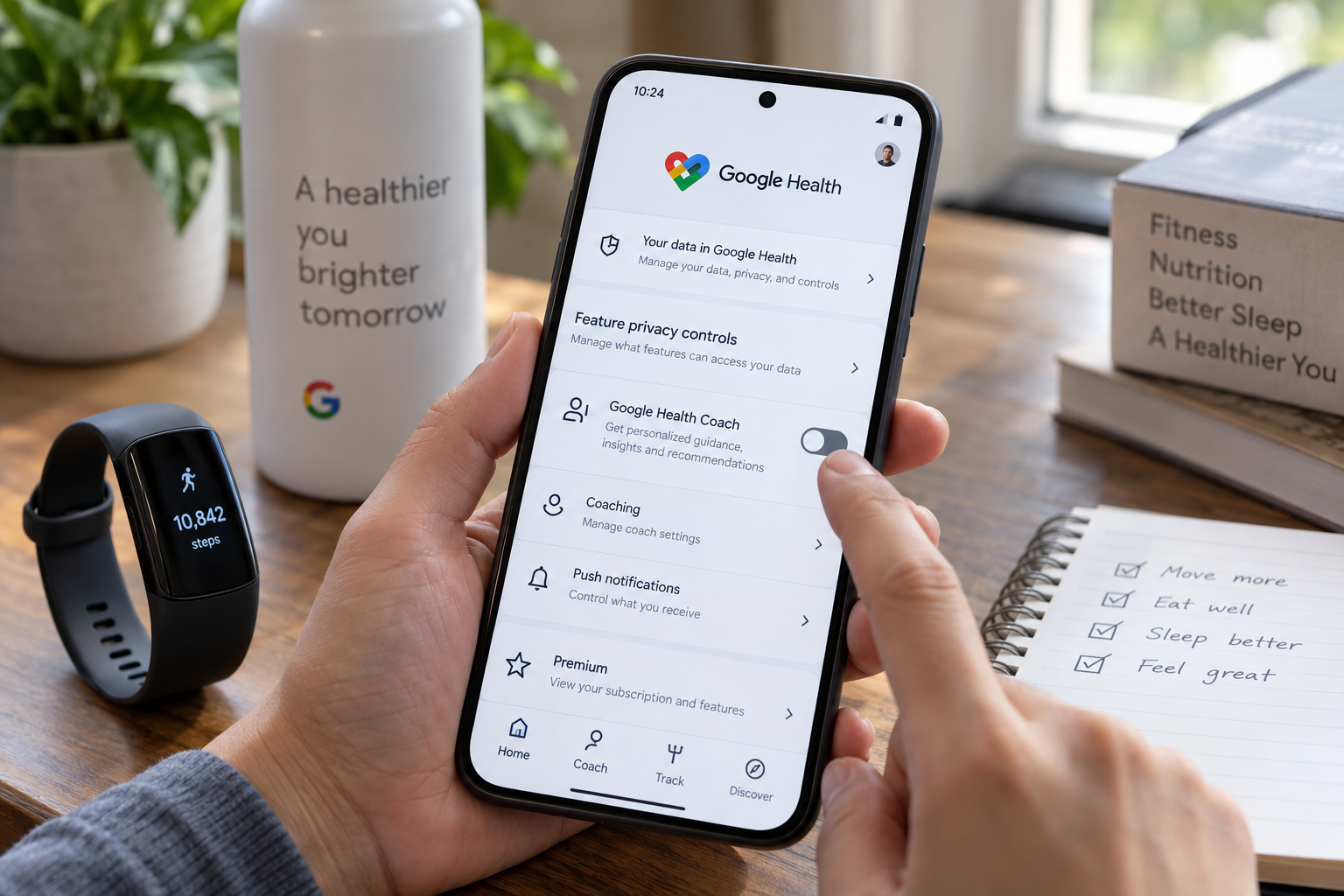
Can you turn off Google Health's AI Coach without canceling Premium?
Google Health's AI Coach can be turned off without canceling your Google Health Premium subscription, and the change takes only a few taps. The option came with an update released in August 2026. Subscribers can find the switch in the app's privacy controls, and they can turn the coach back on whenever they want.
The alternative is to cancel Premium altogether. AI Coach does not come with the free Google Health tier, so canceling the subscription removes it for good, along with the rest of the paid features. Those include personalized sleep summaries, advanced sleep tracking algorithms, Sleep Score, Health Guardian, which tracks noticeable changes in health and wellness, cycle predictions and nutrition tracking.
How to switch the coach off
Open the Google Health app while subscribed to Premium and tap your profile photo in the top right corner. Select Your data in Google Health, scroll down to Feature privacy controls and choose Manage feature privacy controls. Tap Google Health Coach, then hit the Turn off button.
There are two other routes to the same result. Go to your profile photo, then Google Health settings, then Coaching, and turn off Health Coach there. Or change Coach messages on Today from Standard to No Coach insights, which leaves only basic updates and no messages.
If the problem is notifications rather than the coach itself, you can stop the pings without disabling anything. Go to your profile photo, Google Health settings and Push notifications, then turn Coaching off. You might want to try that first.
What do you lose if you turn off AI Coach?
Turning the coach off has real costs. You won't get personalized guidance, recommendations or summaries, which is one of Premium's central features when paired with a tracker such as the new Fitbit Edge. The Ask Coach button will also stop working for questions and chats about your health and wellness. You won't be able to use the coach to log meals, although manual logging remains available.
Can you get AI Coach back after turning it off?
None of your previous data is deleted. Getting the coach back is not as simple as turning it off, though. You can't return to the same menu. Instead, tap the Ask Coach button, which stays visible at the bottom right of the screen, and select Unlock Coach to start the restoration process.
Why some users keep it
People turn off AI Coach for different reasons. Some want more privacy, some find it too intrusive or repetitive, and others want a break from personalized insights while they deal with illness, an injury or a rough stretch. For some people, though, the coach is among the most useful parts of Premium.
Christine Persaud, who tested the feature for Engadget, said it can be useful if you adjust the settings so it only notifies you when and how you want. She used it to log the exact weights she lifted during a strength session and to walk through changes to her workouts around a shoulder injury. She noted that AI Coach does not provide medical advice. She also uses it to photograph meals and log protein, carbohydrate and fat intake, and she said the coach learns more about a user's lifestyle the more they interact with it.
She also acknowledged the downside. The coach can repeat the same advice every day, such as reminders about a 30-minute strength session and a light walk. Over time, she said, users may start ignoring the insights more than reading them. For anyone who needs a break, she said, it is easy to quiet the noise.
Anyone weighing a full cancellation should consider what else they would lose. If the coach is the only Premium feature they use, switching it off may be enough. If they rely on the other Premium tools, the in-app toggle lets them keep the subscription and pause the coaching.
Questo articolo è stato scritto con l'assistenza dell'IA.
News Factory APP - notizie agentiche per potenziare il tuo SEO e AEO.