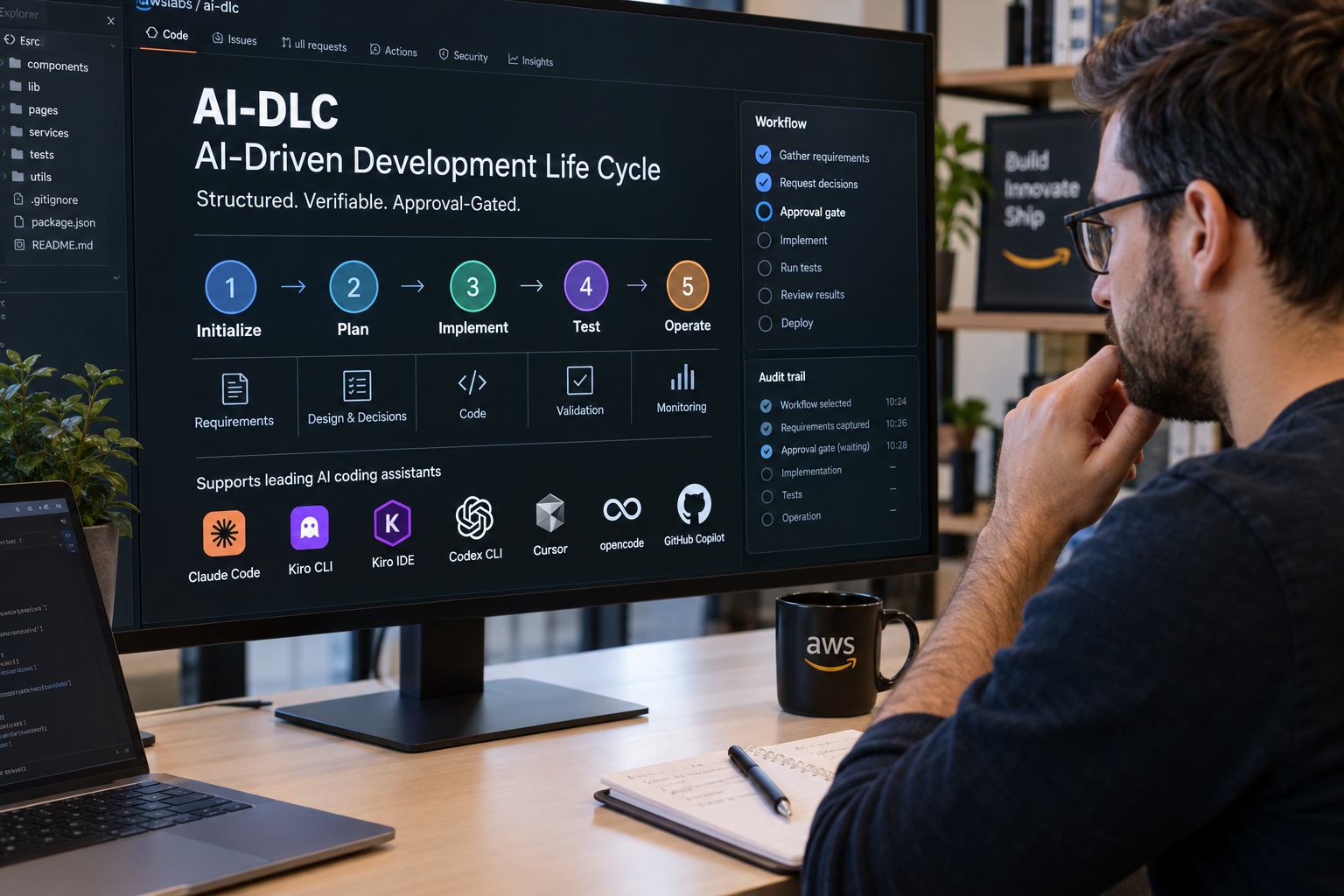
A new workflow framework for AI coding assistants is now available as a stable release, and its developers say it can replace loosely prompted coding sessions with structured, verifiable software delivery. The project, called AI-DLC, short for AI-Driven Development Life Cycle, is hosted on GitHub under the awslabs organization. It runs one harness-neutral core natively in seven tools: Claude Code, Kiro CLI, Kiro IDE, Codex CLI, Cursor, opencode and GitHub Copilot.
The project's documentation makes a specific argument for the approach. Ad hoc AI coding, it says, loses context as projects grow. AI-DLC tries to keep requirements, decisions, implementation, tests and operational work tied together through a single audited lifecycle. The framework describes five phases and 33 stages, running from initialization through operation.
Installing and setting up a project
Installation is handled by a single script. On macOS, Linux or Windows Subsystem for Linux, users run a shell command that pulls the installer from the latest release. Windows users run a PowerShell command instead. The installer sets up the native aidlc command along with every harness runtime, and users do not need to install Bun or Node.js for the standard path.
The Windows installer places the tool in the current user's account and adds its bin directory to the User PATH automatically. The documentation warns against running the installer from a PowerShell window opened with administrator rights, which triggers a warning and a prompt. Users who want to avoid changing PATH can pass a flag to skip the change. Users who prefer to manage project files themselves, or who cannot install a native executable, can use a manual-copy path instead. That route requires Bun.
Once installed, a user selects a harness from the project root with a command such as aidlc config --harness claude, then runs aidlc doctor to check the setup. Supported harnesses include kiro-ide, kiro, codex, cursor, opencode and copilot. Each tool has its own way of starting a workflow. In Claude Code and opencode, users type /aidlc followed by a description of the work. Codex CLI uses $aidlc instead. In Kiro IDE, users first choose aidlc from the agent picker in the chat panel.
How a workflow runs
After a user describes a task, AI-DLC selects a workflow based on the request, asks for any decisions it still needs, and pauses at approval gates before moving to the next step. The framework includes 11 workflow profiles covering features, bug fixes, infrastructure, security, proofs of concept and enterprise delivery. Its documentation recommends starting with Classic, Express and the focused workflows to compare them.
The framework relies on 14 agents: 11 domain experts, two reviewers and an adaptive composer. It keeps a 119-event audit trail, along with persistent state, team knowledge and learned rules. Review is tied to source material, which the documentation describes as source-bound review evidence.
Model access depends on the harness. Shipped project configuration keeps whatever provider and model a user has already chosen. On supported surfaces, the aidlc config providers command can apply Amazon Bedrock settings. Kiro CLI and Kiro IDE do not require a provider answer, because model access comes with Kiro. The project currently recommends Claude Opus 4.8, and says capable reasoning models generally work best.
The documentation also includes a trust warning. In Kiro IDE, opening a project folder that has not been trusted prompts the user to choose whether to trust it. Trusting a folder allows its .kiro hooks to run commands on the user's machine, so the project advises trusting only folders the user owns or has already checked. The project also cautions that generative AI can make mistakes, and that users should review generated output and costs before acting on them.
Este artigo foi escrito com a assistência de IA.
News Factory APP - notícias agênticas para impulsionar seu SEO e AEO.