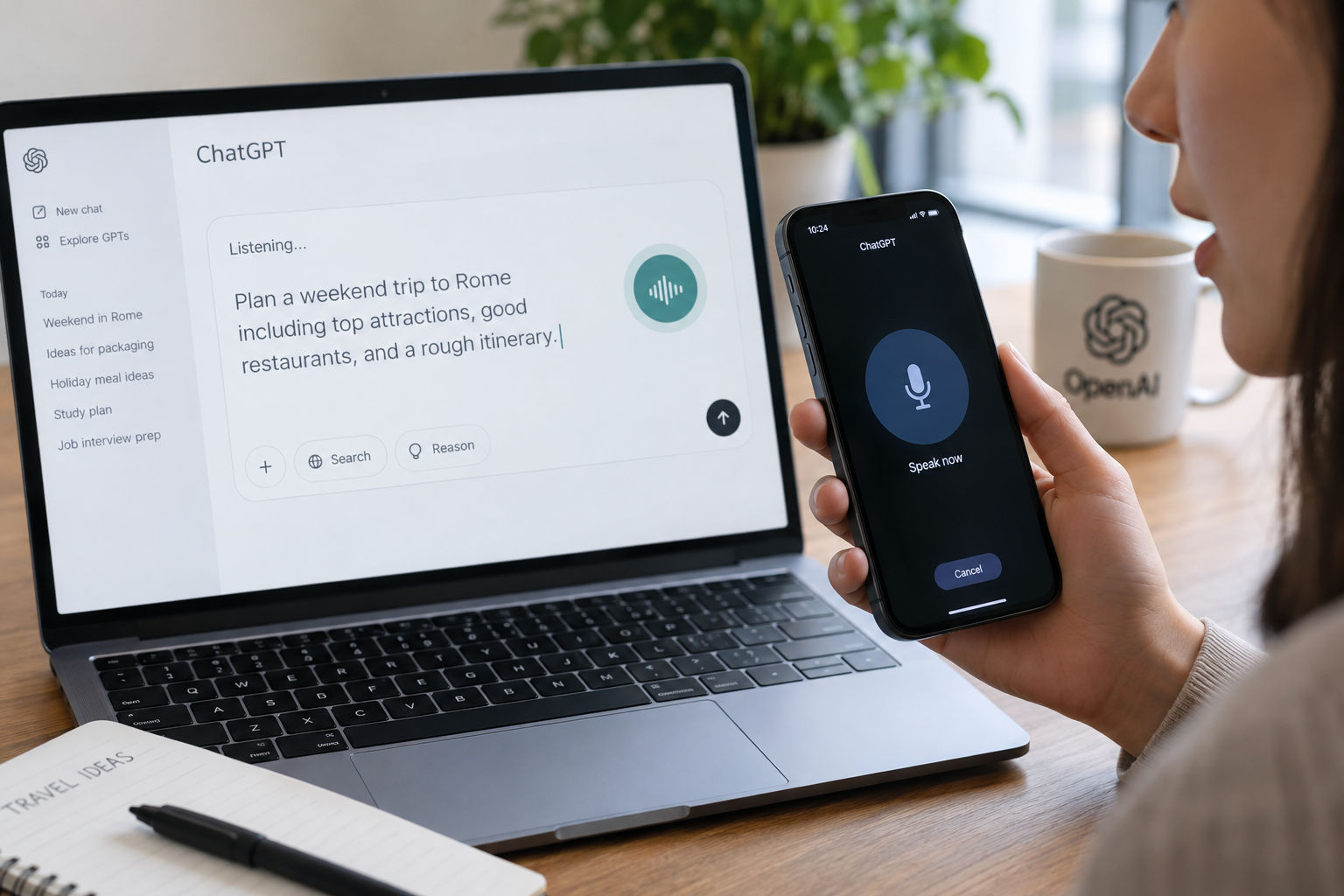
ChatGPT users can now see their spoken prompts appear as text while they talk. OpenAI has launched a Live Dictation feature that transcribes audio from the microphone in real time, rather than waiting until the recording is finished. The feature is rolling out globally on all ChatGPT plans, including the web, the desktop app, and the iOS and Android apps.
How do you use ChatGPT Live Dictation?
To use it, tap or click the audio waveform to display the live text transcript the AI is generating. When you finish speaking, you can edit the text in the prompt box before submitting it.
Is there still a time limit on ChatGPT voice dictation?
OpenAI also said it is removing the 10-minute recording limit on voice dictation in ChatGPT. The company describes the feature as “more reliable” following the change.
The update comes after OpenAI overhauled ChatGPT’s two-way conversational voice mode earlier this year. Dictation is a separate function from that mode.
Who can use ChatGPT's record mode?
OpenAI announced a “record mode” last year for transcribing voice notes and meetings. That feature is still in beta and limited to Plus, Enterprise, Edu, Business, and Pro workspaces. Users on other plans can still use the prompt box dictation feature to ask ChatGPT to transcribe voice messages or convert them into bullet points.
Este artigo foi escrito com a assistência de IA.
News Factory APP - notícias agênticas para impulsionar seu SEO e AEO.