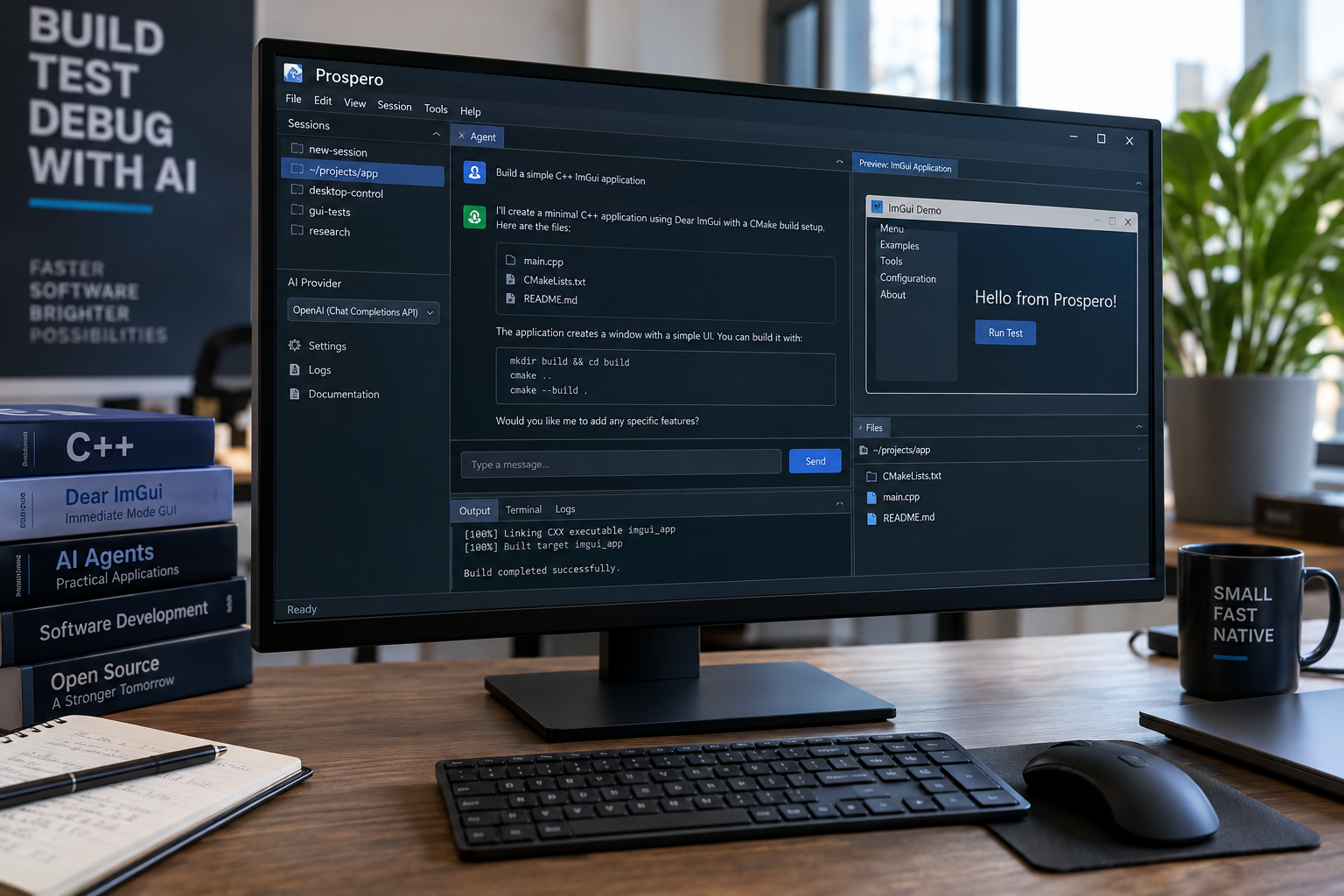
What is Prospero?
A new desktop application called Prospero lets AI agents write, test and debug software directly on a user's computer. The program is a native graphical app for Windows, macOS and Linux, and it is built on Dear ImGui, a lightweight interface library. It is designed to be small, fast and free of extra software.
Which AI model providers does Prospero support?
Prospero connects to an AI model provider, either one running on the user's own machine or a remote service. It speaks the OpenAI Chat Completions API, which is used by llama.cpp, vLLM, LiteLLM and other providers with a compatible interface. It also supports Anthropic's Messages API, including extended thinking and prompt caching. No providers are configured when the app is first installed, so users have to connect one themselves.
The developers say the program is built to run without supervision. According to its documentation, Prospero works through intermittent errors and keeps going on its task while unattended, which is the kind of behavior that matters most when an agent is left to finish a long job.
The interface can be rearranged freely. Panes can be dragged and docked wherever the user wants them, and those arrangements can be saved under the View menu as named layouts. Unlike many ImGui applications, Prospero does not keep redrawing the screen when nothing is happening. Rendering is passive and uses no resources while the app sits idle.
Can Prospero run without a window or on older computers?
Prospero ships as a single executable written in C++. In most cases the engine runs inside the same process as the window, so the user does not need to install or launch a separate daemon or server. The same executable can also run without a window, on another machine over SSH, or in the background after its window has closed. The developers say the engine is lean and portable enough to run on computers and operating systems that are about 25 years old, and they describe the goal as a coding harness that could run on Windows XP.
Once connected to a provider, the agent can help users with Prospero itself. It reads its own embedded documentation, can configure its own settings, and can navigate the user to any part of the interface. The app also carries its own documentation under the Help menu, which an agent running inside the program can read.
A central feature is desktop control. Prospero's agent can see and operate the screen, which the developers say allows it to develop, test and debug native GUI applications. On Windows, the program works especially well inside w64devkit, a portable development environment, and it uses that environment's shell and tools when they are available.
Users can open new sessions from the command line even when Prospero is already running. Launching the program with a folder path starts a new session rooted in that folder. Running the program with no arguments is the other common way to start it.
The project is released into the public domain. Its code also includes several third-party libraries under their own licenses, including Dear ImGui (MIT), FreeType (FTL), md4c (MIT), SDL3 (zlib), cpp-httplib (MIT), Mbed TLS (Apache-2.0) and Wuffs (Apache-2.0 or MIT, at the user's option). The built-in model's network code, located in src/gemma.cpp, is derived from gemma4.c and remains under its MIT license.
The documentation is organized into sections covering usage, configuration, desktop control, remote and background hosts, Windows notes, building from source, and development, including tests and evaluations for comparing models.
Cet article a été rédigé avec l'assistance de l'IA.
News Factory APP - actualités agentiques pour booster votre SEO et AEO.