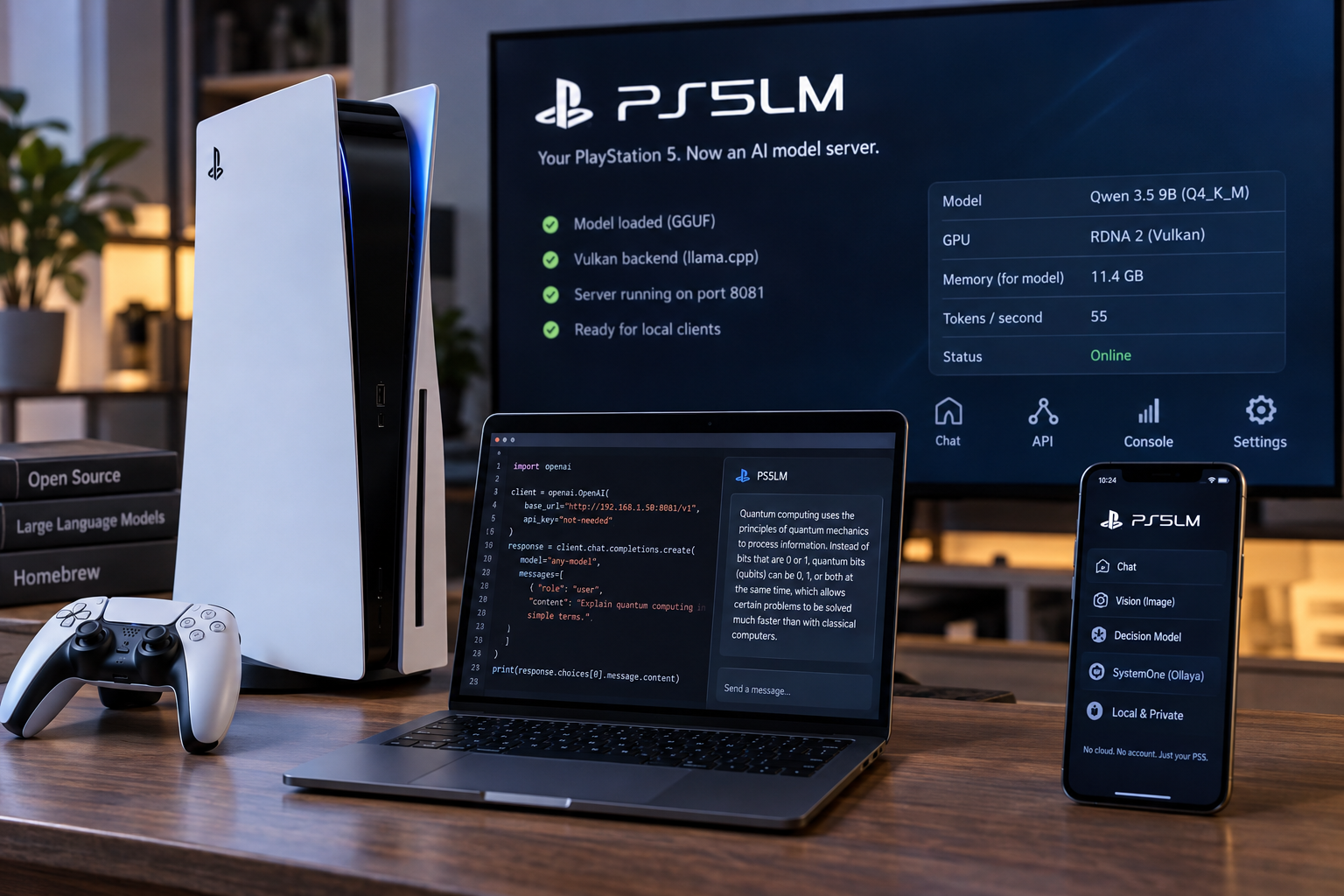
A project called PS5LM turns a jailbroken PlayStation 5 into a private model server for the home. The app loads a GGUF model onto the console's GPU and serves it to laptops, phones and coding tools on the same network. Once it is running, the setup needs no PC, no cloud service and no account.
The work runs on the console itself. PS5LM uses llama.cpp's Vulkan backend on the GPU, which the project describes as RDNA 2, and sets aside 11.4 GB of the console's shared memory for the model and its context. According to the project's documentation, every architecture and quantization that llama.cpp supports will load.
How do other devices connect to a PS5 running PS5LM?
Other devices reach the console over the network. PS5LM accepts requests in OpenAI's /v1/chat/completions format and Anthropic's /v1/messages format. The developers say Claude Code works against it. A client points at the console's address on port 8081 and can use any model name, because whichever model is loaded will answer. The app also includes a chat page that works in any browser.
The newest addition is decision models. Instead of generating free text, a decision model reads a piece of input and answers typed questions in a single pass. PS5LM can now run models such as d1, Clef and OpenJev on the GPU, and it answers the same /v1/systemone API that Ollaya serves on a PC. Questions can ask for a choice, a score or a yes-or-no answer about text or images. Ollaya, the project says, runs open decision models on a PC the way Ollama runs language models, and PS5LM brings that approach to the console.
How fast do models run on a PS5 Slim?
The project publishes its own benchmarks for a PS5 Slim. Qwen 3.5 0.8B, quantized to Q4_K_M and taking up 0.5 GB, produces 207 tokens a second. Qwen 3.5 9B at the same quantization, using 5.3 GB, produces 55 tokens a second. A d1 Omni 600M decision model, at 1.1 GB, answers three questions in 0.3 seconds. With a 720p image, it answers seven questions in 2.9 seconds.
The app also watches the hardware. A Console page charts temperature, power, GPU and CPU load over the last two minutes or the last hour, alongside a table of readings. A planner reads each model file and picks the longest context and best cache that fit the memory that is free. The app can download models from Hugging Face, saving them to internal storage, the M.2 drive or a USB drive. Models with an image projector, including Gemma 4, MiniCPM-V and d1, can accept pictures in chat and in decisions.
What do you need to install PS5LM on a PlayStation 5?
Getting started is not simple. The console must be jailbroken and running firmware between 7.00 and 13.60. Several payloads are required, including kstuff-lite, etaHEN and ShadowMountPlus, which places PS5LM on the home screen. The elfldr and ftpsrv payloads are recommended, with elfldr supplying temperature and power readings and ftpsrv used to copy the app and models from a PC. Users install the app by copying a folder over FTP to the console's homebrew directory, then pick a model from the app's Suggested list or copy a .gguf file to the models folder. Once the Home screen reads Ready, the server is live.
The project is licensed under GPL-3.0-or-later. Its README credits the developers of llama.cpp and ggml, along with several contributors who built the PS5 GPU support and interface. The project states that it is not affiliated with Sony Interactive Entertainment, and that no Sony SDK files, keys, firmware or model weights are included in the repository.
Cet article a été rédigé avec l'assistance de l'IA.
News Factory APP - actualités agentiques pour booster votre SEO et AEO.